Mega IT Support
Dears This blog make for sharing IT problems. Please share your own communication with others and help him.
Wednesday, 21 November 2012
Sunday, 29 July 2012
Change "Windows XP" Serial key
How to Change "Windows XP" Serial key
1. Go to run and write REGEDIT.
2. and go @
HKEY_LOCAL_MACHINE\SOFTWARE\MICROSOFT\WINDOWSNT\CURRENT VERSION\WPAEVENTS registry key.
3. Change the value OOBETimer
4. Go to run and write
%systemroot%\system32\oobe\msoobe.exe /a
5. Click the Change Product Key button.
6. Type your new "Windows XP" product key in the text box and click the Update button.
Wednesday, 4 July 2012
PfSense Installation Guide
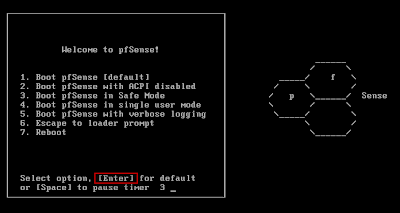
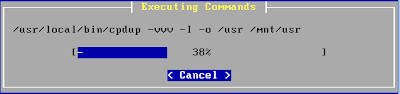
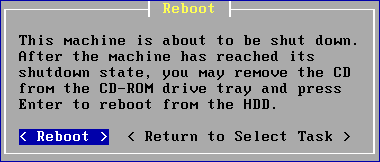
Insert Pfsense bootable disk and install pfsense
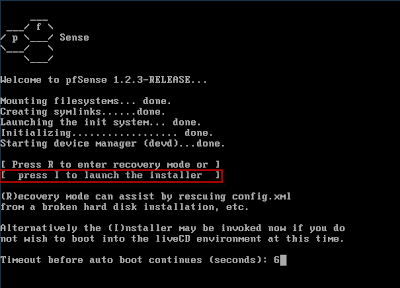
Select the I opetion,which highlight in figure.

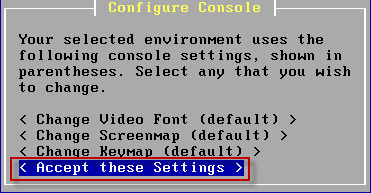
Defaults select Accept these settings.

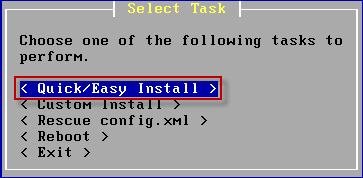
Default select Quick/Easy Install.

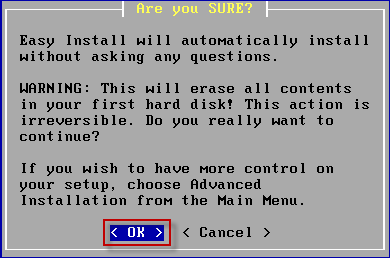
Select OK to continue setup.


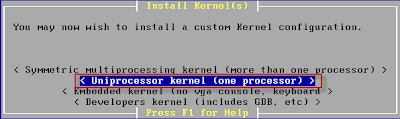
Select Uniprocessor Kernel(one processor).


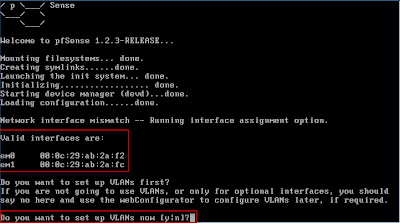
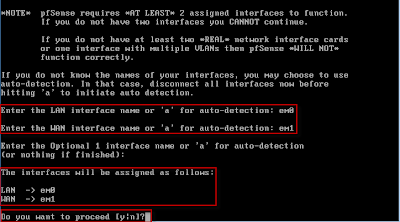
One the first time Pfsense asked that, You will also be presented with the question Do you want to set up VLANs now ? It is web interface so you typed N and press Enter.


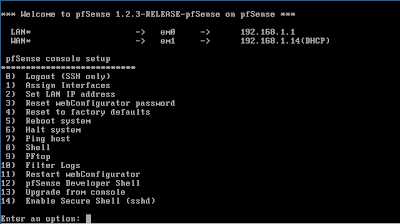
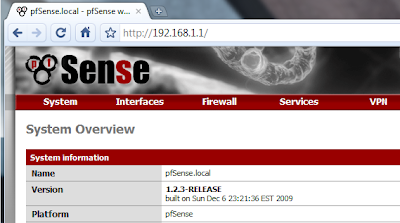
You can make more changes by login in to the web interface by using the LAN-IP address.
The default username is admin and password is pfsense.

Subscribe to:
Posts (Atom)